
Why Work Stalls After “Captured”: The Hidden Translation Tax
Remembering tasks isn’t the hard part—translating intent into emails, events, and docs is. Learn to spot and reduce the hidden translation tax.

Captured ≠ Done: Where Intent Goes to Wait
Most productivity systems treat “capture” as the finish line: write it down, feel safe, move on. But in knowledge work, capture is often the start of the slowest phase—translation. A note like “Follow up with Dana” still needs decisions (what to say, when to send, what context to include), plus execution across tools. That gap is why work stalls even for organized people.
The translation tax is the cumulative cost of turning intent into concrete outputs: an email draft, a calendar hold, a doc update, a Slack message, a Jira ticket. It shows up as context-switching (opening threads and searching for details), decision latency (choosing next steps and wording), and tool friction (copy/paste, reformatting, permissions, and double-entry). In other words, the bottleneck isn’t memory—it’s workflow-design. Once you see this, you can redesign workflows to reduce handoffs, shorten cycles, and keep momentum without sacrificing control.
The Three Drivers of the Translation Tax (and How to Spot Them)
Translation tax is predictable because it comes from three recurring frictions. 1) Context-switching: you leave the task list to gather inputs—threads, files, prior decisions, stakeholders. 2) Decision latency: you pause to decide priority, dependencies, tone, or timing (“Should I propose times or ask availability?”). 3) Tool friction: even after deciding, you still need to execute: create an event, draft an email, update a doc, and then reconcile status back in your system.
To spot high-cost handoffs, run a simple audit for a week: whenever a task sits longer than expected, ask, “What translation is missing?” Common culprits include: tasks that require assembling context from multiple links, anything that needs a calendar lookup, and tasks that end with “send/update/share.” If you’re optimizing for productivity and better workflow-design, prioritize fixes where the same translation repeats—weekly scheduling, customer follow-ups, meeting recaps, and doc-to-email summaries. Those are the workflows where removing even one step dramatically reduces context-switching and time-to-done.
A Practical Framework to Eliminate High-Friction Handoffs (Without Losing Control)
Reducing translation tax doesn’t require working harder—it requires designing the handoff so intent becomes a ready-to-approve output. Use this three-step framework: Decompose → Draft → Do (with approval). First, convert vague tasks into titled, prioritized subtasks with due dates and dependencies (classic workflow-design, applied at the moment of capture). Second, generate drafts—emails, checklists, summaries—using the exact context that usually forces context-switching (threads, links, meeting notes). Third, propose the tool action (create a draft, schedule an event, update a doc) but keep a human approval gate.
This is where agentic productivity tools like TaskPilot Copilot aim: a lightweight task list that translates intent into concrete next steps, produces drafts, and suggests permissioned actions across Gmail/Calendar/Docs—then logs outcomes back to the task. The win isn’t automation for its own sake; it’s shrinking the gap between “remember” and “done.” When your system consistently turns intent into ready work, stalled tasks become shorter cycles, fewer handoffs, and measurable gains in productivity—without giving up control.
Captured ≠ Done: Where Intent Goes to Wait
Most productivity systems treat “capture” as the finish line: write it down, feel safe, move on. But in knowledge work, capture is often the start of the slowest phase—translation. A note like “Follow up with Dana” still needs decisions (what to say, when to send, what context to include), plus execution across tools. That gap is why work stalls even for organized people.
The translation tax is the cumulative cost of turning intent into concrete outputs: an email draft, a calendar hold, a doc update, a Slack message, a Jira ticket. It shows up as context-switching (opening threads and searching for details), decision latency (choosing next steps and wording), and tool friction (copy/paste, reformatting, permissions, and double-entry). In other words, the bottleneck isn’t memory—it’s workflow-design. Once you see this, you can redesign workflows to reduce handoffs, shorten cycles, and keep momentum without sacrificing control.
The Three Drivers of the Translation Tax (and How to Spot Them)
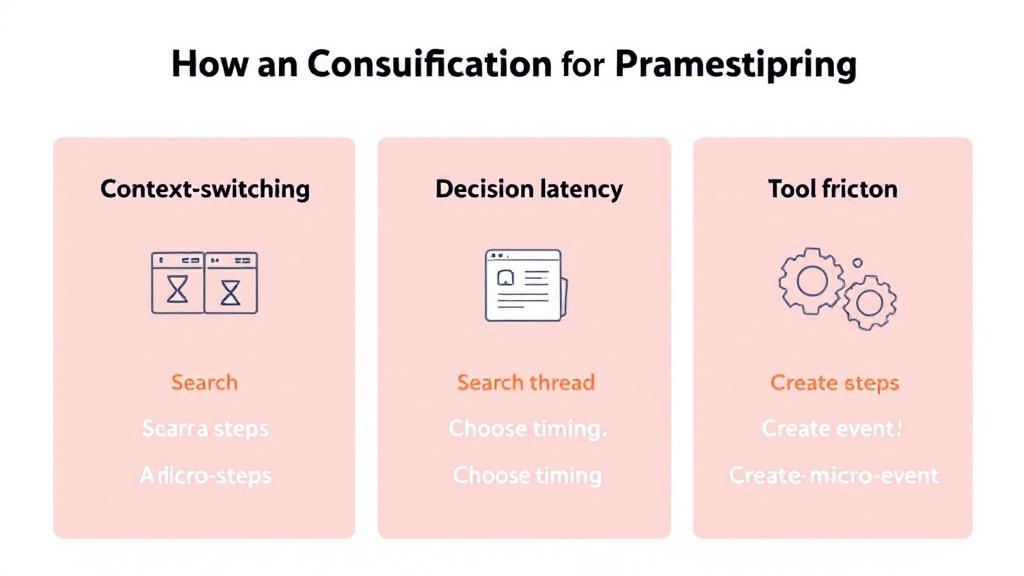
Translation tax is predictable because it comes from three recurring frictions. 1) Context-switching: you leave the task list to gather inputs—threads, files, prior decisions, stakeholders. 2) Decision latency: you pause to decide priority, dependencies, tone, or timing (“Should I propose times or ask availability?”). 3) Tool friction: even after deciding, you still need to execute: create an event, draft an email, update a doc, and then reconcile status back in your system.
To spot high-cost handoffs, run a simple audit for a week: whenever a task sits longer than expected, ask, “What translation is missing?” Common culprits include: tasks that require assembling context from multiple links, anything that needs a calendar lookup, and tasks that end with “send/update/share.” If you’re optimizing for productivity and better workflow-design, prioritize fixes where the same translation repeats—weekly scheduling, customer follow-ups, meeting recaps, and doc-to-email summaries. Those are the workflows where removing even one step dramatically reduces context-switching and time-to-done.
A Practical Framework to Eliminate High-Friction Handoffs (Without Losing Control)
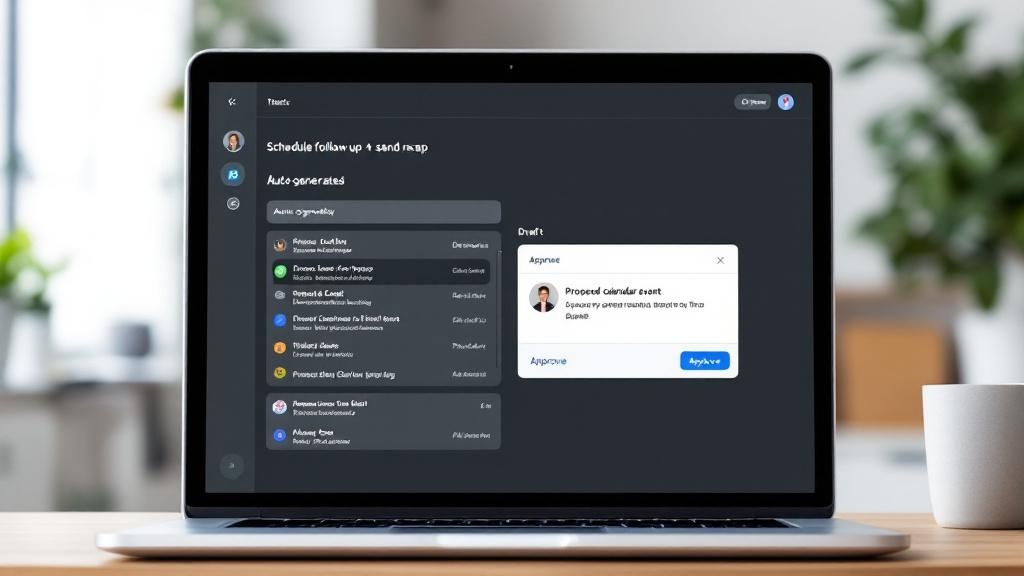
Reducing translation tax doesn’t require working harder—it requires designing the handoff so intent becomes a ready-to-approve output. Use this three-step framework: Decompose → Draft → Do (with approval). First, convert vague tasks into titled, prioritized subtasks with due dates and dependencies (classic workflow-design, applied at the moment of capture). Second, generate drafts—emails, checklists, summaries—using the exact context that usually forces context-switching (threads, links, meeting notes). Third, propose the tool action (create a draft, schedule an event, update a doc) but keep a human approval gate.
This is where agentic productivity tools like TaskPilot Copilot aim: a lightweight task list that translates intent into concrete next steps, produces drafts, and suggests permissioned actions across Gmail/Calendar/Docs—then logs outcomes back to the task. The win isn’t automation for its own sake; it’s shrinking the gap between “remember” and “done.” When your system consistently turns intent into ready work, stalled tasks become shorter cycles, fewer handoffs, and measurable gains in productivity—without giving up control.